How to Check HTTP Response Headers
HTTP response headers govern caching, security, and crawler directives. Learn how to inspect and configure critical headers for modern web performance.


What Are HTTP Response Headers?
When a browser or search crawler requests a webpage, the web server initiates the transaction by sending an initial block of metadata before transmitting the actual HTML body. These key-value text pairs are known as HTTP Response Headers.
Headers govern how browsers render content, how long intermediate caches store assets, which domains are permitted to execute scripts, and how search spiders index non-HTML media.
A standard HTTP response header looks like this:
HTTP/2 200 OK
content-type: text/html; charset=UTF-8
strict-transport-security: max-age=31536000; includeSubDomains; preload
x-content-type-options: nosniff
x-frame-options: SAMEORIGIN
content-security-policy: default-src 'self'
cache-control: public, max-age=3600
Essential HTTP Headers for Search Optimization
1. HTTP Status Codes
The first line of the header contains the HTTP status code:
- `200 OK`: The page exists and loaded successfully.
- `301 Moved Permanently`: The URL has permanently shifted to a new location.
- `404 Not Found`: The requested resource does not exist.
- `410 Gone`: The page has been permanently deleted and should be removed from search indexes promptly.
- `500 Internal Server Error`: The server encountered an unhandled exception.
2. X-Robots-Tag
While HTML pages use <meta name="robots"> inside the head, non-HTML files (like PDF manuals, images, or XML feeds) have no HTML head. The X-Robots-Tag header solves this by issuing crawler directives directly from the server:
X-Robots-Tag: noindex, nofollow
3. Canonical Link Header
You can also declare canonical relationships for non-HTML files using the Link header:
Link: <https://smartcalcbox.com/whitepaper.pdf>; rel="canonical"
The 6 Critical Security Headers Every Site Needs
Google rewards secure web architectures. Auditing your domain for these six essential security headers is crucial for protecting users and maintaining a strong reputation:
- Strict-Transport-Security (HSTS): Enforces encrypted HTTPS connections, preventing SSL-stripping attacks.
Strict-Transport-Security: max-age=31536000; includeSubDomains; preload
- Content-Security-Policy (CSP): Restricts which domains and sources can load scripts, stylesheets, and fonts, neutralizing Cross-Site Scripting (XSS).
- X-Content-Type-Options: Prevents MIME-type sniffing (set to
nosniff). - X-Frame-Options: Prevents clickjacking by forbidding third-party sites from framing your content (set to
SAMEORIGINorDENY). - Referrer-Policy: Controls how much referrer metadata is passed when navigating away from your site (e.g.,
strict-origin-when-cross-origin). - Permissions-Policy: Restricts access to browser APIs like geolocation, camera, and microphone.
How to Inspect Response Headers Step-by-Step
Method 1: Using SmartCalcBox Header Inspector
The fastest, most comprehensive approach is testing any URL in our free HTTP Header Inspector & Security Auditor. The tool runs a safe server-side query, audits security flags, and scores your server configuration with pass/fail badges.
Method 2: Browser Developer Tools
- Open Google Chrome or Firefox and press
F12(orCmd + Option + Ion Mac). - Navigate to the Network tab.
- Reload the page and click the very first document request.
- Under the Headers pane, review the Response Headers.
Method 3: Command Line (cURL)
Open your terminal and run:
curl -I https://smartcalcbox.com
The -I flag instructs cURL to fetch headers only, returning the complete status code and header payload.
Troubleshooting Common Header Configuration Issues
- CORS Blockers: If external fonts or API calls fail, verify that
Access-Control-Allow-Originheaders are properly configured. - Aggressive Caching on HTML: Setting
Cache-Control: max-age=31536000on HTML pages prevents visitors from receiving updates when you deploy new content. Always cache HTML with short TTLs orno-cache, reserving long cache headers for versioned static assets (images, hashed JS/CSS).
HTTP Header Inspector & Security Auditor
Inspect server HTTP response headers and audit critical security headers with pass/fail indicators.
URL Redirect Checker & Rule Builder
Test live URL redirect status codes (301, 302, 307) and generate Apache, Nginx, and Next.js redirect rules.
Meta Robots Tag Generator
Build granular meta robots directives and X-Robots-Tag HTTP headers with interactive controls.
Frequently Asked Questions
Can missing security headers affect my SEO rankings?
While security headers are not direct positive ranking factors, having poor security can lead to malware infections, browser security warnings, and de-indexing, all of which devastate search performance.
What is the difference between Cache-Control and Expires?
Expires is an older HTTP/1.0 header that specifies an absolute date and time. Cache-Control (HTTP/1.1) is more flexible and uses relative duration (e.g. max-age=3600 for one hour), taking precedence over Expires.
Can I inspect HTTP headers for competitor websites?
Yes. HTTP response headers are publicly transmitted over the network to any client that requests a page. You can inspect headers for any public URL using our HTTP Header Inspector.
About the Author: Alex Mercer
Lead Technical SEO Specialist & Web EngineerAlex is a web engineer and technical SEO specialist with over a decade of hands-on experience building web applications, optimizing site architectures, and resolving crawl and indexing challenges. He oversees tool development and technical accuracy across SmartCalcBox.
Related SEO Guides & Tutorials
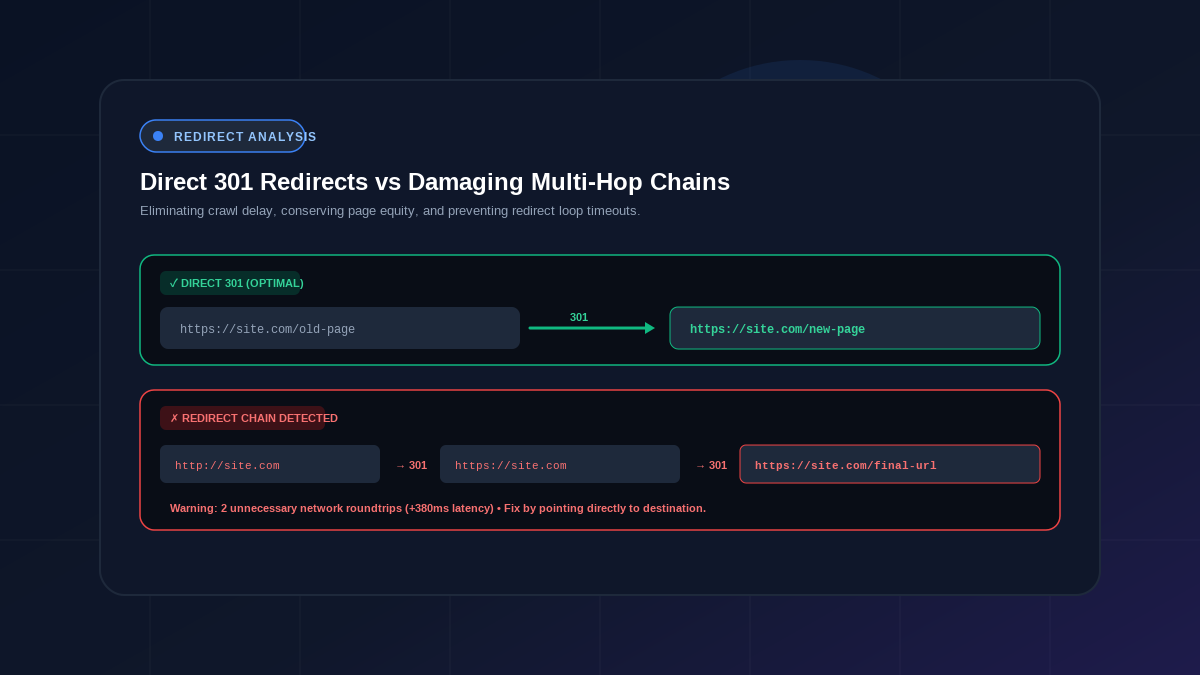
How to Understand Redirects and Redirect Chains
Redirects guide users and crawlers when URLs change. Learn how to prevent redirect chains, loops, and latency traps that hurt your search performance.

How to Find and Fix Common Technical SEO Errors
Technical errors silently prevent search engines from crawling and indexing your content. Discover how to diagnose and resolve the most common technical roadblocks.

Robots.txt Explained for Beginners
A single incorrect character in your robots.txt file can accidentally de-index your entire website. Learn how to configure crawler directives safely.